
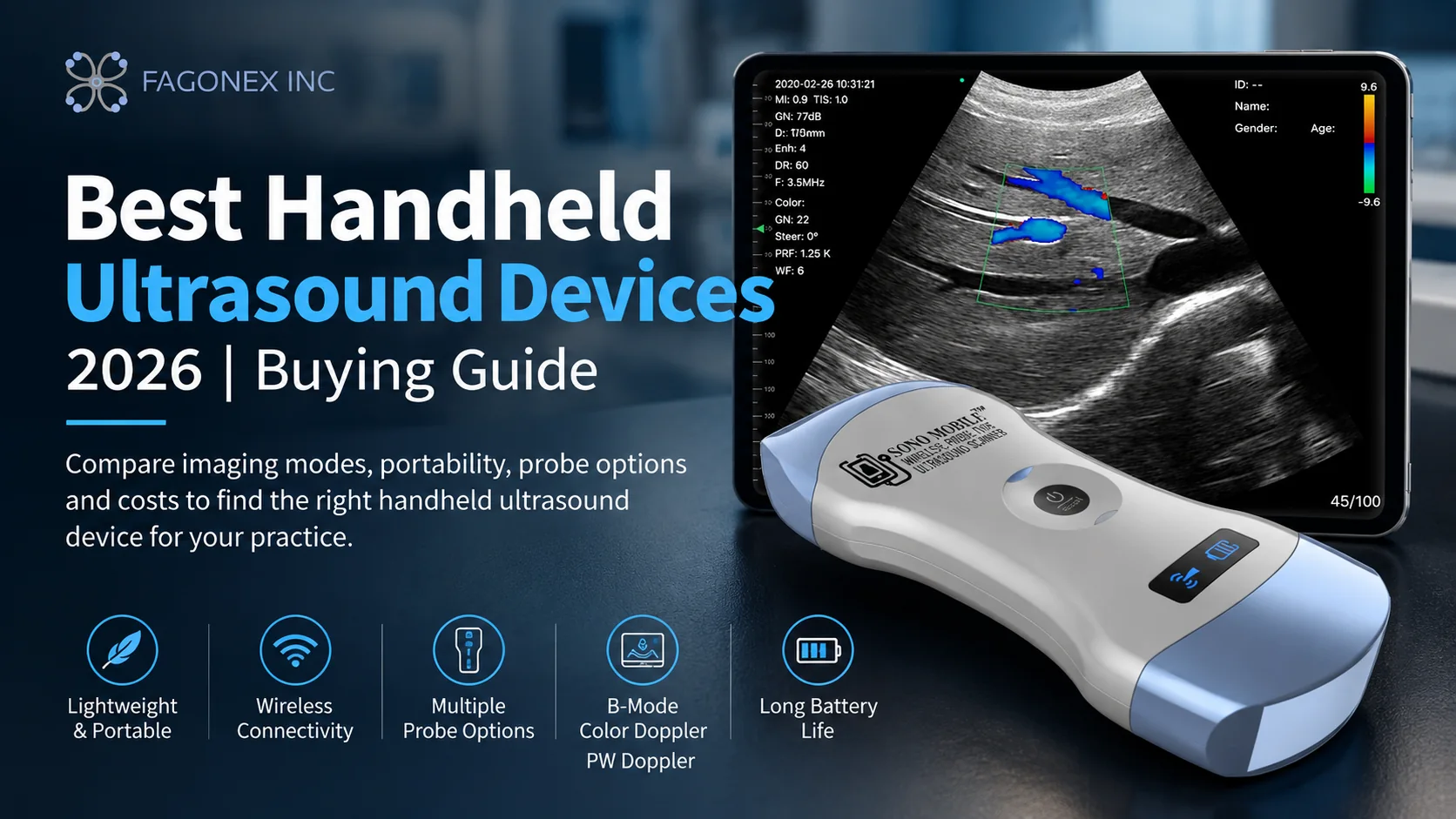
2026 Clinical Buying Guide
Choosing the best handheld ultrasound device is not simply a matter of selecting the smallest probe or the longest feature list. The right system must match your clinical applications, imaging requirements, operating environment, software workflow and long-term budget. This guide explains how to evaluate portable ultrasound devices, with examples from the Sono Mobile® range and other established handheld ultrasound platforms.
For a broader introduction to portable imaging, read what portable ultrasound machines are. To explore available devices, visit the handheld ultrasound product collection.
What Is a Handheld Ultrasound Device?
A handheld ultrasound is a compact ultrasound imaging system designed for use at the bedside, in outpatient clinics or in mobile settings. Depending on the model, the transducer connects to a smartphone, tablet or computer wirelessly or by cable. Clinicians use these systems for focused assessments and image-guided procedures within their training, scope of practice and applicable regulations.
Handheld devices are especially relevant to point-of-care ultrasound (POCUS), where portability and rapid access to imaging can support timely clinical decisions. They do not automatically replace a full-featured cart-based ultrasound system for every examination.
How to Choose the Best Handheld Ultrasound
01 · Clinical fit
Probe type and specialties
Match the probe to the target anatomy: linear for superficial structures and vascular access; convex for abdominal and deeper imaging; phased-array presets for selected cardiac applications; and endocavity probes for appropriate pelvic examinations.
02 · Imaging
Modes and image controls
Check whether the device provides the B-mode, M-mode, Color Doppler, Power Doppler or PW Doppler functions your workflow requires. Compare image quality on representative clinical cases rather than relying on marketing descriptions.
03 · Workflow
Display and connectivity
Verify compatibility with your specific iOS, Android or Windows device, app availability, wireless versus wired operation, offline scanning and any required DICOM/PACS or export functions.
04 · Practical use
Ergonomics and runtime
Consider probe weight, grip, charging, infection-control workflow and scanning duration. Published battery life does not always equal uninterrupted scanning time in every imaging mode.
05 · Ownership
Subscription and support
Ask about software subscriptions, optional features, warranty conditions, training, repairs and replacement options. Evaluate total cost over several years, not only the initial purchase price.
06 · Evidence
Demonstration and verification
Request a live demonstration for your intended applications. Verify device-specific regulatory authorization, published specifications and local availability before ordering.
Sono Mobile® Handheld Ultrasound Devices: Which Model Fits Your Practice?
Sono Mobile® offers multiple probe configurations for different clinical needs. The following overview is intended to help shortlist devices; confirm the final configuration and specifications on each product page before purchasing.
| Device | Probe configuration | Potential fit | Explore |
|---|---|---|---|
| Sono Mobile® CL64 | Dual-head convex + linear; phased-array imaging presets | Multi-specialty POCUS, abdominal, vascular, MSK and selected cardiac assessments | CL64 details |
| Sono Mobile® CT61 | Dual-head convex + endocavity | Abdominal and appropriate pelvic/endocavity imaging workflows | CT61 details |
| Sono Mobile® CL54 | Dual-head convex + linear; phased-array presets | General-purpose handheld imaging and multi-specialty POCUS | CL54 details |
| Sono Mobile® CL52 | Compact dual-head convex + linear; phased-array presets | Clinicians prioritizing compact size and mobility | CL52 details |

Versatile multi-specialty option
Sono Mobile® CL64
The CL64 combines convex and linear scanning surfaces with phased-array presets. Available modes include B, M, Color, Power Doppler and PW Doppler. Its configuration may suit clinicians who need several scanning approaches without carrying multiple separate probes.
Explore CL64
Endocavity-focused configuration
Sono Mobile® CT61
With convex and endocavity scanning surfaces, the CT61 is a distinct option for practices requiring appropriate pelvic and endocavity imaging alongside abdominal applications. Confirm the clinical presets and accessory requirements for your setting.
Explore CT61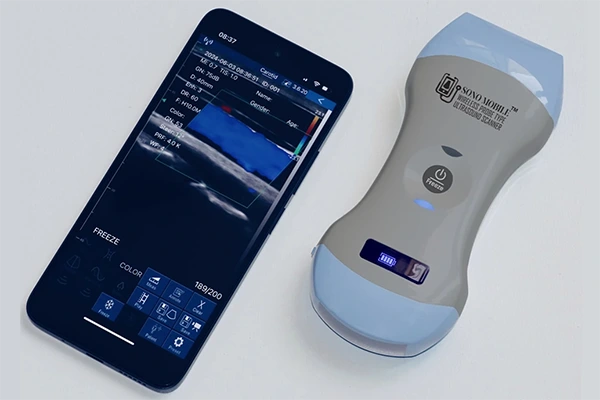
General-purpose dual-head option
Sono Mobile® CL54
The CL54 combines convex and linear imaging in a dual-head design, with phased-array presets for supported applications. Review image quality, controls and ergonomics alongside the CL64 to determine which best matches your routine examinations.
Explore CL54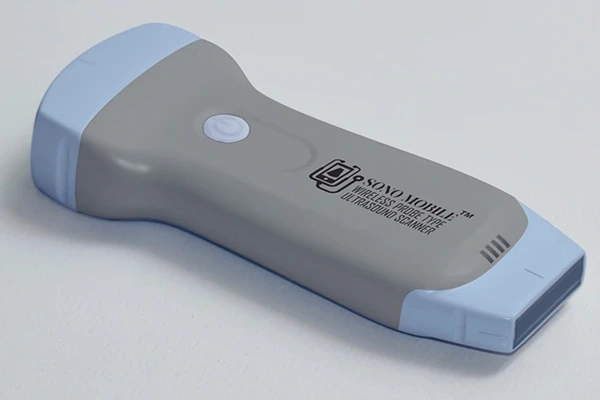
Compact portable option
Sono Mobile® CL52
The CL52 is designed for portability, with a compact body of approximately 121 × 53 × 19 mm and a reported weight of approximately 120 g. Its dual-head configuration may appeal to mobile clinicians who prioritize a smaller form factor.
Explore CL52Other Handheld Ultrasound Options to Consider
A balanced buying process may also include systems such as Butterfly iQ-series devices, Clarius HD-series wireless scanners and GE HealthCare Vscan Air devices. These platforms differ in transducer technology, probe configurations, display connectivity, software plans and regional availability. Because specifications and subscriptions can change by model and market, compare the exact configuration you intend to purchase.
For a more detailed, model-focused comparison of brands, features and ownership considerations, see how Sono Mobile® compares with other handheld ultrasound devices. This buying guide focuses instead on the decision criteria that matter before you choose a device.
What Does a Handheld Ultrasound Really Cost?
The purchase price is only one part of ownership. When evaluating the best portable ultrasound machine for your practice, request a written quotation covering the hardware, included imaging modes, software subscriptions (if any), compatible displays, charging accessories, training, warranty and service arrangements.
Practical pre-purchase checklist
- Which anatomy and procedures must the device support?
- Which probe configuration and Doppler modes are essential?
- Will it work with your current phone, tablet or computer?
- Can you scan without an internet connection?
- Are app features or cloud services subject to recurring fees?
- What are the standard warranty and optional coverage terms?
- Can you evaluate the device using realistic clinical examples?
Review Sono Mobile® warranty information and explore POCUS education and training resources before making a final decision.
Which Handheld Ultrasound Is Best for Your Specialty?
There is no single best device for every clinician. A vascular access or MSK workflow often prioritizes linear imaging; abdominal assessments commonly need convex imaging; selected cardiac applications may require phased-array presets; and endocavity examinations require an appropriate dedicated scanning surface. Start with your routine clinical questions and then shortlist devices that support those tasks.
Explore ultrasound applications across medical specialties to connect your clinical needs with the relevant probe configuration.
Frequently Asked Questions
What is the best handheld ultrasound for general POCUS?
The best choice depends on your required examinations, probe types, imaging modes, software compatibility and budget. A dual-head convex/linear system may offer flexibility for several common POCUS workflows, but clinical evaluation is essential.
Is handheld ultrasound the same as portable ultrasound?
Handheld ultrasound is a subset of portable ultrasound. The broader category can also include larger laptop-style and cart-based portable systems.
Do handheld ultrasound devices need an internet connection?
Requirements vary by brand and software. Some devices support local scanning without internet access, while account setup, updates, cloud features or other services may need connectivity. Verify the exact workflow before purchasing.
Should I choose a single-head or dual-head ultrasound probe?
Choose based on the anatomy you examine most often. A single-head probe may suit a focused application; a dual-head configuration can provide multiple scanning surfaces in one device, potentially reducing the need to carry separate probes.
What should I check before buying a handheld ultrasound in 2026?
Confirm the intended clinical use, supported probe types, image quality, Doppler modes, operating-system compatibility, total software cost, warranty, training and device-specific regulatory status in your market.
Next step
Find the Right Sono Mobile® Device for Your Practice
Explore the available models, review their clinical applications and request a demonstration to assess the device in a workflow relevant to your practice.
Explore Sono Mobile® DevicesCompare Handheld Ultrasound OptionsEvidence-Based Resources
Clinical Evidence & References
Selecting a handheld ultrasound device requires consideration of clinical applications, operator training, image quality and the limitations of portable imaging. The following professional guidelines and peer-reviewed reviews provide supporting clinical context for this buying guide.
- American Institute of Ultrasound in Medicine (AIUM). Practice Parameter for the Performance of Point-of-Care Ultrasound Examinations. Read AIUM Practice Parameter
- American College of Emergency Physicians (ACEP). Ultrasound Guidelines: Emergency, Point-of-Care, and Clinical Ultrasound Guidelines in Medicine (2023). Read ACEP Guidelines
- Rykkje A, Carlsen JF, Nielsen MB. Hand-Held Ultrasound Devices Compared with High-End Ultrasound Systems: A Systematic Review. Diagnostics. 2019;9(2):61. View on PubMed
- Shaddock L, Smith T. Potential for Use of Portable Ultrasound Devices in Rural and Remote Settings in Australia and Other Developed Countries: A Systematic Review. Journal of Multidisciplinary Healthcare. 2022. View on PubMed
These references support general clinical context and do not constitute independent validation, regulatory authorization or endorsement of any specific Sono Mobile® device.
Editorial note: This guide provides product-selection information for trained healthcare professionals. Device capabilities, regulatory authorizations, accessories and software availability may vary by configuration and region. Verify current details with the manufacturer or distributor. Ultrasound use and interpretation require appropriate training.